Auction List Item
- Name:
auctionListItemTemplate - Url:
#/auctions - Description: Auction List Item template on auction listing page
Preview
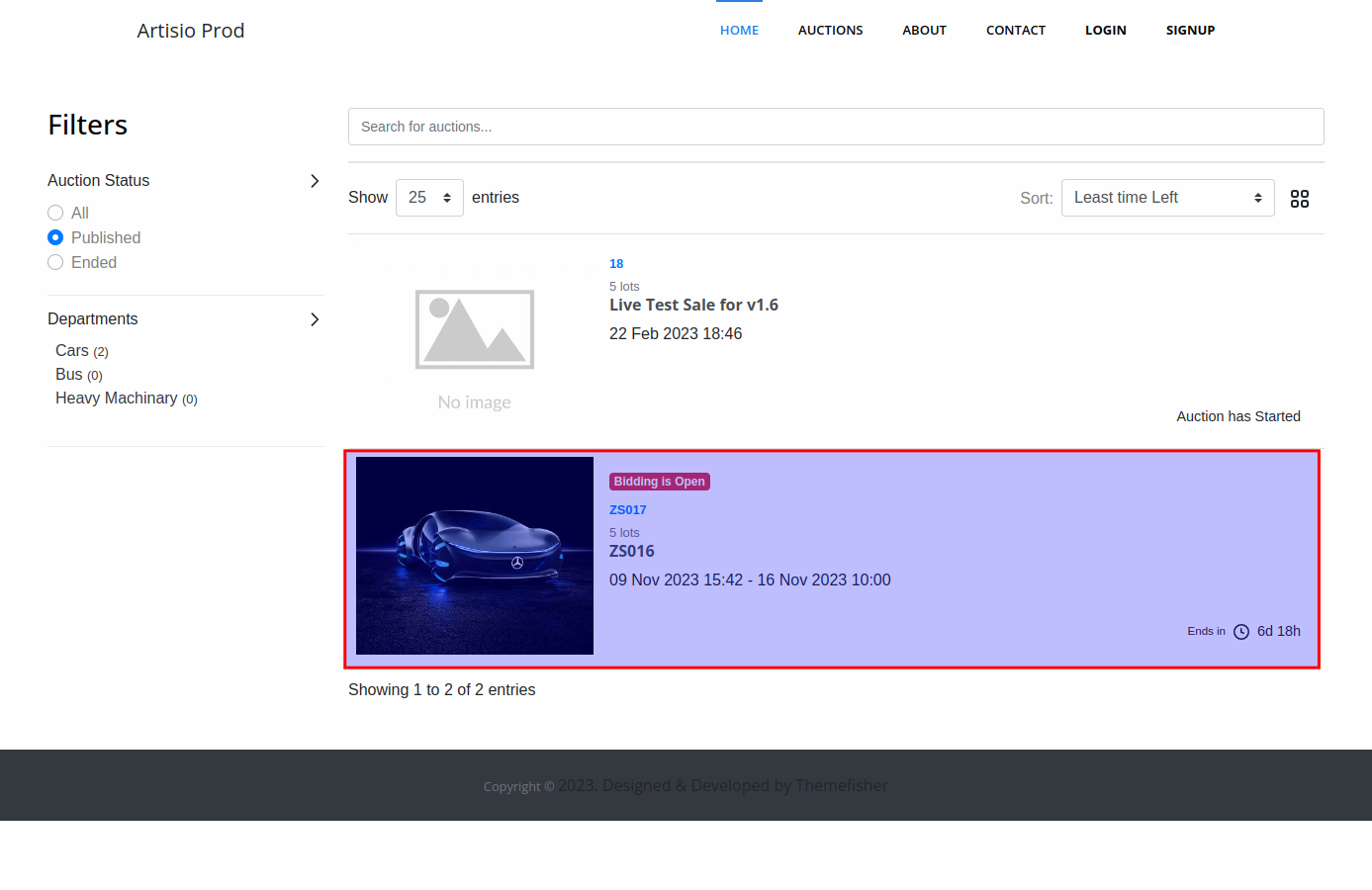
Default Template
<auction-pause-message :auction="auction" />
<auction-image :auction="auction"/>
<div class="ta-auction-list-item-desc">
  <div class="ta-auction-no-info d-flex justify-content-between">
    <auction-bidding-open :auction="auction"/>
    <auction-no :auction="auction"/>
    <number-of-lots :auction="auction"/>
  </div>
  <auction-title :auction="auction"/>
  <div class="ta-auction-list-item-dates">
    {{ auction.start_date | datetime }} <span v-if="auction.end_date"> - {{ auction.end_date | datetime }}</span>
  </div>
  <auction-location-information :auction="auction"/>
</div>
<div class="ta-auction-list-item-buttons">
  <auction-type :auction="auction" />
  <auction-countdown-timer :auction="auction" />
</div>
Tips
You can print the auction variable in the template to inspect available data:
<pre>{{ auction }}</pre>
Available Components
Important
All components in this template accept the auction prop, which must be bound to the auction variable available in the template scope.
<AuctionPauseMessage />
Displays a pause message banner if the auction is currently paused. Only visible when the auction's is_paused flag is true.
<AuctionImage />
Displays the auction's thumbnail image (the first image from auction.images). Clicking it navigates to the auction inner page.
<AuctionBiddingOpen />
Displays a "Bidding Open" badge on the auction card when bidding is currently active. Controlled by showAuctionBiddingOpenBadge.
<AuctionNo />
Displays the auction number.
<NumberOfLots />
Displays the total number of lots in the auction (withdrawn lots are excluded). Controlled by showZeroLotCount — when false, hides this component when the count is 0.
<AuctionTitle />
Displays the auction title in an <h3> tag. Clicking it navigates to the auction inner page.
<AuctionLocationInformation />
Displays the auction location if provided in Artisio AMS.
<AuctionType />
Displays a contextual icon based on the auction type (Timed or Live) when showAuctionType is true.
<AuctionCountdownTimer />
Displays the auction countdown timer.
- Shows "Opens in: X days/hours" if the auction has not started yet
- Shows "Ends in: X days/hours" if the auction is active
- Shows "Ended" if the auction is completed
<AuctionCarousel />
Displays a slider/carousel of all auction images instead of a single thumbnail. Can be used as an alternative to <AuctionImage />.
<RegisterAsBidderButton />
Displays a "Register as Bidder" button for the auction. Only shown when the user is authenticated but not yet registered as a bidder on this auction.
<AuctionAddToWatchlist />
Displays a heart icon button to add or remove the auction from the user's watchlist.
Important
Only displayed if enableWatchlist is not set to false.
Properties
auction
- Type:
object
The entire auction object for this list item. Contains all information associated to the auction.
See the auctionDetailsTemplate for the full auction object structure and usage examples.
mainConfig
See documentation here
is_authorized
See documentation here
Filters available
datetime
Formats auction dates using the configured datetimeFormat.
{{ auction.start_date | datetime }}
See Global filters for all available filters.