Lot view page template
- Name:
lotViewTemplate - Url:
#/lots/{LOT_UUID} - Description: Lot inner view page template
Preview
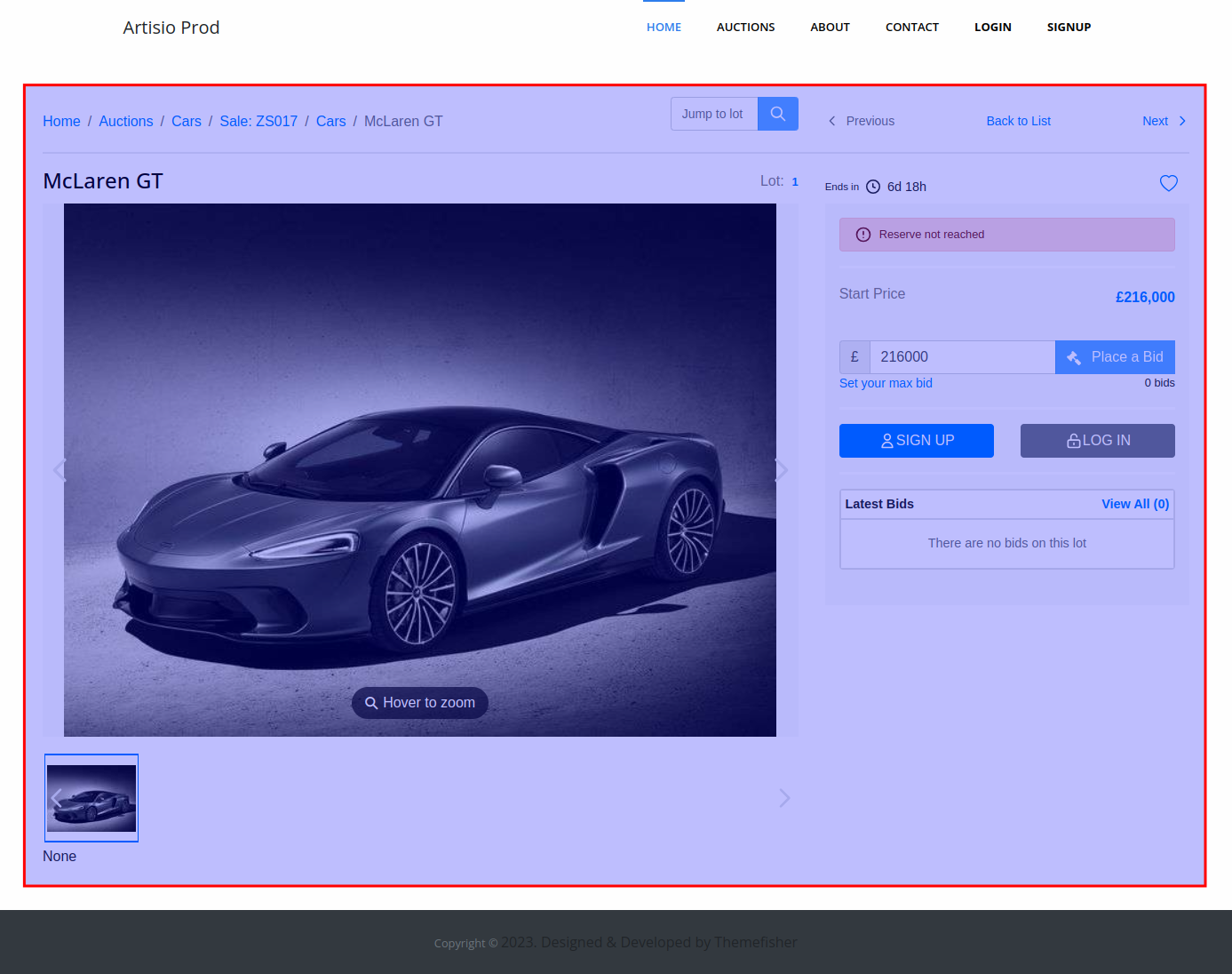
Default Template
<lot-view-header>
  <div class="row align-items-center">
    <div class="col-md-8">
      <div class="ta-lot-breadcrumbs">
        <lot-view-breadcrumbs />
        <jump-to-lot />
      </div>
    </div>
    <div class="col-md-4">
      <lot-view-prev-next-buttons />
    </div>
  </div>
</lot-view-header>
<auction-pause-message />
<div class="row ta-lot-view-wrapper">
  <div class="col-lg-8 ta-lot-view-content">
    <div class="ta-lot-title-wrapper">
      <lot-view-title/>
      <lot-view-lot-no/>
    </div>
    <lot-view-images/>
    <lot-view-social-share/>
    <lot-view-description class="d-none d-lg-block" />
    <lot-published-condition-reports class="d-none d-lg-block" />
  </div>
  <div class="col-lg-4 ta-lot-view-bidding">
    <lot-view-bidding/>
  </div>
  <div class="col-lg-8 ta-lot-description-mobile d-block d-lg-none mt-3">
    <lot-view-description />
    <lot-published-condition-reports />
  </div>
</div>
Available Components
<LotViewHeader />
A sticky header wrapper for the lot view page. Content placed inside it (breadcrumbs, navigation buttons) is rendered at the top of the page.
<LotViewBreadcrumbs />
Displays navigation breadcrumbs showing the path back to the lot/auction listing. Controlled by showBreadcrumbs.
<JumpToLot />
Displays an input to jump directly to another lot by lot number. Controlled by jumpToLot.
<LotViewPrevNextButtons />
Displays "Previous Lot", "Next Lot", and "Back to List" navigation buttons. Controlled by showPrevNextList.
<AuctionPauseMessage />
Displays a pause message banner if the auction is currently paused.
<LotViewTitle />
Displays the lot title in an <h1> tag.
<LotViewLotNo />
Displays the lot number with an optional label.
Component props
label
- Type:
string,boolean - Default:
true(shows "Lot:")
Customize or disable the label displayed before the lot number.
<LotViewImages />
Displays the lot image gallery with thumbnail carousel. The thumbnail position is controlled by imageCarouselPosition. Full screen behavior is controlled by fullScreenButtonOnImage and dontOpenOnImageClick. The back button is controlled by backButtonOnImage.
<LotViewSocialShare />
Displays social sharing icons and print button. Controlled by socialShares and printButton. Can also be moved to the sidebar using sharesInSidebar.
<LotViewDescription />
Displays the lot description. Behavior controlled by descriptionDynamicFields, showMoreInDescription, and descriptionInSidebar.
<LotPublishedConditionReports />
Displays any published condition reports associated with the lot, if available.
<LotViewBidding />
Renders the bidding sidebar section using lotBiddingTemplate (for timed auctions) or lotBiddingTemplateLive (for live auctions).
Properties
lot
- Type:
object
The entire lot object. See lotBiddingTemplate — lot property for the full structure and usage examples.
lotDynamicFields
- Type:
object
Key-value pairs of all available dynamic fields for this lot. The key is the dynamic field name (e.g. artist_name) and the value is the corresponding label.
currentLocale
- Type:
string
The current locale from the lang configuration option (e.g. "en", "de").
fallbackLocale
- Type:
string
The fallback locale, always "en".
mainConfig
See documentation here
is_authorized
See documentation here